


How to write an effective logbook entry: A shift handover guide

In this article
Every multi-site operator hits the same information gap. The numbers arrive on time and they’re accurate, from your sales, labour, inventory, reviews, reservations. Then labour costs is high one day and nobody can say why.
The logbook – or shift handover report – closes that information gap. Most operators gave up on theirs years ago: badly designed, half-completed, never read back. But what you can do now with logbook context has changed, and plays a really important role within your tech stack.
What is a logbook?
A logbook is a written record, usually completed by the manager closing a shift, that captures what happened during a trading period and why. It’s most often filled in at the end of the day or day part and covers the qualitative side of a shift – service, staffing, guest feedback, maintenance, anything else worth flagging – alongside the raw numbers.
In hospitality specifically, operators commonly call this same document an end-of-day report or shift handover report, and often call the record itself a logbook. Whatever it’s named, it does one job: give anyone who wasn’t on shift a clear, honest account of how the day actually went, so nothing important lives only in one person’s memory. Learn more about log books and the end-of-day report here.
The rest of this post is about how to get that record right – what to ask for, how to keep the standard up, and how to make sure people actually fill it in.
Why collect shift handover logs at all?
A shift handover log has one job: to capture the context of the shift that isn’t in your sales, labour, inventory, reviews or reservations data. That’s a narrower job than most templates assume, and a far more valuable one.
Imagine your dishwasher breaks down. Your GM keeps two extra people on to clear the plates so labour jumps, with no extra sales to justify it. Three weeks later that shift sits in your month review as an outlier and nobody remembers why – so either you let it go, or somebody spends twenty minutes going back through messages to find what happened.
If the GM had written one line in the log, you’d have the answer. And more importantly, so would your AI tool if you were to connect the two (we will come onto this).
That’s the real shift of the last eighteen months. A logbook used to be an archive that would be ignored after 24 hours to a week, but now it’s a queryable layer sitting alongside your structured data. Here are some prompt examples that would use logbook data:
- “Labour ran four points over at Soho last week – did the manager give a reason?”
- “Summarise last night’s logs across all sites. What are the three things I should action today?”
- “Look at the last 90 days of logs. Classify the recurring themes and show me which sites are affected by which.”
That last one changes behaviour. Foreign objects in food, slow service, understaffing every Thursday – themes nobody spots one entry at a time show up immediately as a pattern by site and day. Operators we’ve spoken to run exactly this kind of query every morning: a handful of logs in, a short action list out, before anyone’s opened WhatsApp.
Your POS will never tell you the dishwasher broke – and this time next year you won’t remember either. It’s not just a hospitality quirk, either: research on shift handovers in high-risk industries has consistently found that people most often lose critical information during handover, precisely because it depends on one person remembering to tell the next, rather than a system that holds onto it.
How do you make sure the team enter them properly?
Don’t let the habit die as it can easily turn into a strong three weeks of completion, then entries drift into “busy night, all good”. This is worse than nothing, because it looks like compliance. The traditional fix is an ops director reading every log and chasing the weak ones. Nobody has time, so the standard slides.
There’s a better way now: write down the standard you expect, then ask an AI tool to check the logs against it.
Write the standard first
This only needs to be half a page.
Our logbook standard
- Specific. Names the actual thing. “Service was busy” isn’t enough. “Full inside and on the terrace within fifteen minutes, second rush straight after” is the specificity we’re after.
- Causal. Where a number looks different, there’s a reason attached to it.
- Actionable. Anything that needs fixing says what’s been done, or who’s picking it up.
- Complete. Fill in required fields and allow blanks to become deliberate not laziness.
- Timely. Submitted at the end of the shift that it relates to, not backfilled the next afternoon.
- Honest. Problems are in there and not left out. When a site has no issues for a fortnight, it isn’t a great site but becomes a log that nobody is taking seriously.
Six criteria. Every manager can hold them in their head, and, crucially, so can a model.
Every week, audit against this standard
“Here is our logbook standard. Score every log submitted last week against it, site by site. Give each site a mark out of six, quote the strongest and weakest entry, and tell me which fields are most often left blank across the estate.”
What comes back is a coaching document. You’re no longer telling a GM “your logs need to be better” – you’re showing them the entry from a different site that answered the same question properly.
Two disciplines matter here. Audit the entry, not the person: a list of weak entries, never a league table of managers. And when a field is blank everywhere, the field is wrong – if a field is empty at six sites out of seven, that’s a bad field, not six lazy managers. Delete it. Run this monthly and your template gets shorter and better on its own.
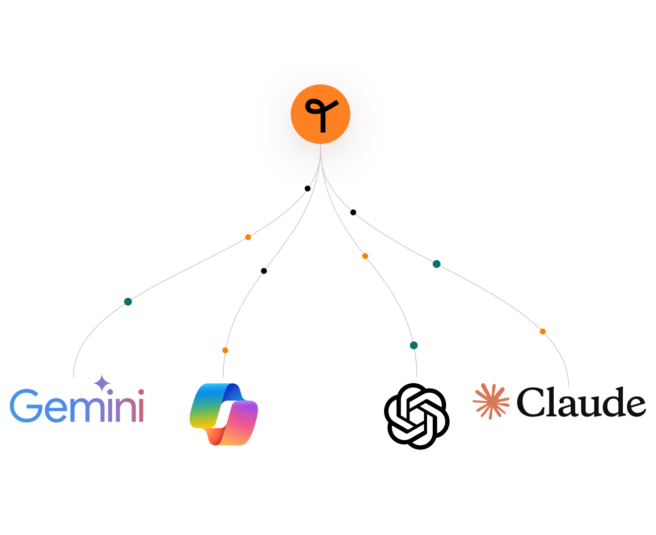
Have you discovered our AI connector?
Connect to your chosen LLM with Tenzo’s MCP and query your data in plain language – for a complete response in seconds.
Seven principles for writing an effective logbook entry
1. Ask why, not what
Never ask for a number your system already holds. The most common template we see opens with eight headline figures copied off a dashboard – the kind you’d already have from an automated end-of-day report. Every re-keyed number costs two minutes of a manager’s goodwill at 11pm, and one more field they’ll leave blank next week. Replace all eight with one question: “Sales came in under forecast – what drove it?”
2. Capture what no system can see
Broken equipment, a closed section, roadworks, a coach party, an EHO visit, a competitor opening, a no-show chef, the weather. The test for any field: could I reconstruct this from data alone? If yes, cut it. If no, it’s probably the most valuable field on the form.
3. Put the number next to the question
A blank text box gets a blank answer; the same question beside today’s discount total gets a real one. It’s the single biggest driver of completion rates we see, ahead of any amount of chasing.
4. Fifteen minutes, ten fields – hard ceiling
Managers write these at the end of a fourteen-hour day, usually on a phone. Every extra field degrades the answers to every other field, because people skim a form that looks long. Twenty fields isn’t a shift handover, it’s a compliance form managers will half-complete within a fortnight.
5. One log per shift, not one per day
Ask for a single end-of-day log and you get whatever the closing manager remembers about lunch – or nothing, because the lunch manager left at five. Split by service and nobody reconstructs a shift they didn’t work, the handover gets written down, and every entry sits in a comparable bucket.
6. Use the same field names in every site
The log becomes valuable the moment you can ask “which sites keep raising maintenance issues, and how often?” – and that only works if the field is called Maintenance everywhere, not “Property” in one site and “R&M” in another. Letting every GM design their own trades a week of goodwill for a year of incomparable data.
7. Design the read before you design the form
Decide who reads this, when, and in what. If the answer is “we’ll look at it if something goes wrong,” it’s already dead. Two arrangements work well: the log lands inside the daily report email so numbers and narrative arrive together, and recurring issues become the Monday ops agenda, so managers watch their entries turn into decisions.
Where to start
One site, one GM, two weeks. You’ll change three or four fields based on what they actually write, and that’s far easier before the whole estate has learned the form. Then show your ops director the output rather than the form, and set a date the old process stops – parallel running for a month guarantees failure.
Get that right and in twelve months you’ll have something most operators simply don’t: a complete, searchable, honest account of why the numbers did what they did.
What a logbook is in Tenzo
Two things, and it’s worth keeping them straight. A logbook is the template – the sections and fields you want filled in, like “Summary,” “Discounts,” “People” – set up once under Logs → Manage logbooks. A log is a single entry submitted against it, for one date and location.
It’s free with the Sales module. Here’s what that looks like in practice:
- Anyone with a Tenzo login can submit a log, front of house or back, on web or mobile, at Logs → Submit log.
- Fields sit in named sections and can carry instructions – a hint telling the manager what a good answer looks like, without cluttering the form.
- The day’s numbers show alongside the form, so each comment is anchored to the figure it explains.
- You can run several logbooks – end of day, pre-shift briefing, separate lunch and dinner logs – applied across every site or tailored per location.
- Logs are searchable by author, date and keyword, can sit on a dashboard as a card, and can be attached to your daily email.
FAQs
Frequently asked questions
A shift handover report — called a logbook in Tenzo — is a written record a manager submits at the end of a shift to capture what happened that isn’t already in your sales, labour or inventory data: equipment issues, staffing changes, guest incidents, anything that explains an unusual number later. See our full glossary entry on end-of-day reports for how this fits into daily reporting more broadly.
A good shift handover is specific, causal, actionable, complete, timely and honest — six criteria that turn “busy night, all good” into something worth reading back. It should explain why a number moved, not restate the number, and flag anything that needs following up along with who’s on it.
Fifteen minutes, ten fields, as a hard ceiling. Managers are usually writing these at the end of a long day, often on a phone — every extra field past that degrades the quality of every other answer, because a long form gets skimmed rather than filled in properly.